Introduction
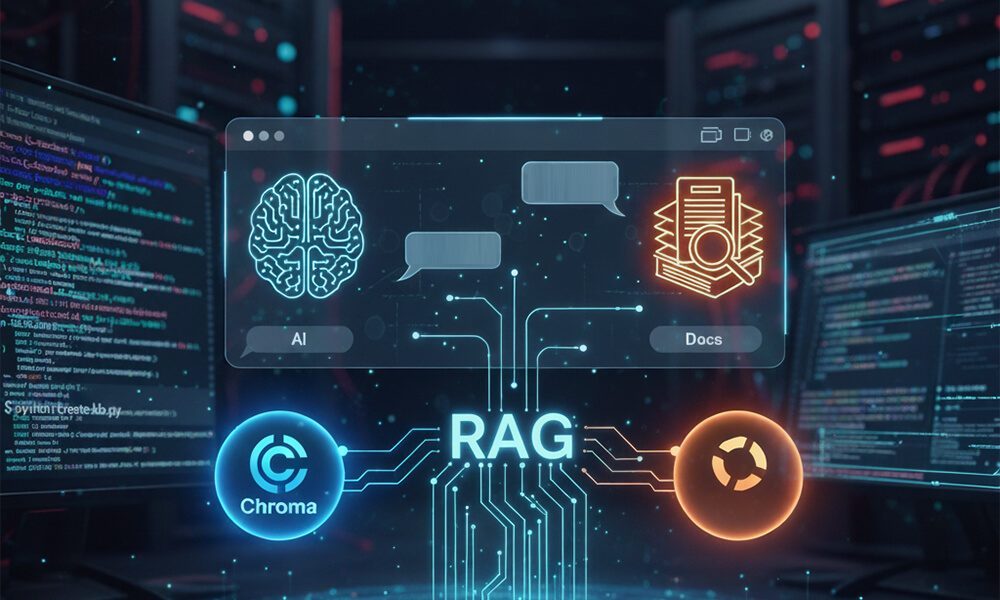
Retrieval-Augmented Generation (RAG) represents a significant advancement in the field of artificial intelligence, combining the strengths of information retrieval systems with generative models to produce more accurate and contextually relevant responses. By integrating external knowledge bases into the generation process, RAG systems can access up-to-date information beyond their training data, making them particularly valuable in dynamic domains.
In the realm of RAG implementations, two tools have emerged as pivotal: Chroma, a vector database optimized for embedding storage and retrieval, and Ollama, a platform for serving large language models (LLMs) locally. Together, they facilitate the development of robust RAG applications that maintain data privacy and offer customization tailored to specific needs.
Building the knowledge base with create_kb.py
The create_kb.py script is designed to construct a knowledge base by processing and embedding documents for subsequent retrieval. It leverages Chroma to store vector embeddings, enabling efficient similarity searches during the generation phase.
Key components of the script include:
• Document Loading: Utilizing PyPDFLoader from langchain_community.document_loaders, the script reads PDF files from a specified directory. This loader extracts textual content from PDFs, preparing them for embedding.
• Text Splitting: The RecursiveCharacterTextSplitter divides large documents into manageable chunks, ensuring that each segment fits within the model’s context window. This step is crucial for handling lengthy documents without losing semantic coherence.
• Embedding: The script employs OllamaEmbeddings to convert text chunks into vector representations. By default, it uses the ‘nomic-embed-text’ model, but this can be adjusted via command-line arguments to suit different embedding needs.
• Vector Store Initialization: Chroma is instantiated as the vector store, with the collection named “split_docs” and the embedding function set to the previously defined OllamaEmbeddings. The persist_directory parameter specifies where the database will be stored on disk.
• Document Ingestion: Processed documents are added to the Chroma vector store, and the database is persisted to ensure that embeddings are saved for future retrievals.
The code of create_kb.py
from langchain_community.document_loaders import PyPDFLoader
from langchain_community.embeddings import OllamaEmbeddings
from langchain_chroma import Chroma
from langchain.text_splitter import RecursiveCharacterTextSplitter
from glob import glob
import argparse

pdf_files = glob('../datasets/fancy-machine-manuals/en/*.pdf')
loaders = [PyPDFLoader(pdf) for pdf in pdf_files]

documents = []
for file in loaders:
    documents.extend(file.load())

parser = argparse.ArgumentParser(description='Script to build the vector storage knowledgement base')
parser.add_argument('-em', '--emodel', type=str, required=False, default='nomic-embed-text', help='Embedding model name to use')
parser.add_argument('-ou', '--ollamaurl', type=str, required=False, default='http://localhost:11434', help='Ollama url')
args = parser.parse_args()

embedding = OllamaEmbeddings(model=args.emodel, base_url=args.ollamaurl)

vector_store = Chroma(
    collection_name = "split_docs",
    embedding_function = embedding,
    persist_directory = "./chroma.db")

splitter = RecursiveCharacterTextSplitter(chunk_size = 150, chunk_overlap = 75)
splits = splitter.split_documents(documents)
vector_store.add_documents(splits)
Usages of create_kb.py
$ python create_kb.py
$ python create_kb.py -h
$ python create_kb.py -em any_embedding_model_available_on_ollama
$ python create_kb.py -ou your_ollama_url
$ python create_kb.py -ou your_ollama_url -em any_embedding_model_available_on_ollama
Engaging with the knowledge base using rag_chat.py
Once the knowledge base is established, the rag_chat.py script enables interactive querying, combining retrieval mechanisms with LLM capabilities to generate informed responses.
Highlights of this script include:
• Embedding and LLM Initialization: Similar to create_kb.py, this script initializes OllamaEmbeddings and sets up the LLM using Ollama. The default model is ‘mistral’, but users can specify alternative models through command-line arguments.
• Vector Store Connection: The script connects to the existing Chroma vector store, allowing access to the embedded documents prepared earlier.
• Query Processing: User inputs are processed to retrieve relevant document chunks from Chroma based on similarity to the query.
• Response Generation: The retrieved documents are passed to the LLM as context, guiding it to generate responses that are both relevant and informed by the embedded knowledge.
• Interactive Loop: The script runs an interactive loop, prompting users for input and displaying model responses, facilitating a conversational experience with the knowledge base.
The code of rag_chat.py
from langchain_community.embeddings import OllamaEmbeddings
from langchain_community.llms import Ollama
from langchain_chroma import Chroma
from langchain_core.runnables import RunnablePassthrough
from langchain_core.output_parsers import StrOutputParser
from langchain.callbacks.tracers import ConsoleCallbackHandler
from langchain import hub
import argparse

class bcolors:
    HEADER = '\033[95m'
    OKBLUE = '\033[94m'
    OKGREEN = '\033[92m'
    WARNING = '\033[93m'
    FAIL = '\033[91m'
    ENDC = '\033[0m'

parser = argparse.ArgumentParser(description='Script to chat on knowledgement base using RAG technology')
parser.add_argument('-v', '--verbose', action='store_true', help='Enable verbose output')
parser.add_argument('-em', '--emodel', type=str, required=False, default='nomic-embed-text', help='Embedding model name to use (default: nomic-embed-text)')
parser.add_argument('-m', '--model', type=str, required=False, default='llama3.2', help='Model name to use (e.g. gemma2, llama3.2, ...; default: llama3.2)')
parser.add_argument('-ou', '--ollamaurl', type=str, required=False, default='http://localhost:11434', help='Ollama url')
args = parser.parse_args()

embedding = OllamaEmbeddings(model=args.emodel, base_url=args.ollamaurl)

vector_store = Chroma(
    collection_name = "split_docs",
    embedding_function = embedding,
    persist_directory = "./chroma.db")

retriever = vector_store.as_retriever()

llm = Ollama(model=args.model, base_url=args.ollamaurl)

prompt = hub.pull("rlm/rag-prompt")

rag_chain = (
    {"context": retriever, "question": RunnablePassthrough()}
    | prompt
    | llm
    | StrOutputParser()
)

config = {}
if args.verbose:
    config = config | {'callbacks': [ConsoleCallbackHandler()]}

print("Chat with me (ctrl+D to quit)!\n")

while True:
    try:
        question = input("human: ")
        answer = rag_chain.invoke(
            question,
            config=config
        )
        print("bot  : ", answer)
    except EOFError:
        print("\nGoodbye!")
        break
    except Exception as e:
        print(f"{bcolors.FAIL}{type(e)}")
        print(f"{bcolors.FAIL}{e.args}")
        print(f"{bcolors.FAIL}{e}")
        print(f"{bcolors.ENDC}")
Usages of rag_chat.py
$ python rag_chat.py
$ python rag_chat.py -h
$ python rag_chat.py -em any_embedding_model_available_on_ollama
$ python rag_chat.py -m any_llm_available_on_ollama
$ python rag_chat.py -ou your_ollama_url
$ python rag_chat.py -em ... -m ... -ou ...
Advantages of this RAG implementation
By integrating Chroma and Ollama, this RAG setup offers several notable benefits:
• Local Deployment: Running both the vector database and LLM locally ensures data privacy and reduces dependencies on external services.
• Customization: Users have the flexibility to choose embedding and language models that align with their specific requirements, enhancing the system’s adaptability.
• Efficiency: Chroma’s optimized vector storage and retrieval capabilities enable swift access to relevant information, improving the responsiveness of the RAG system.
The “fancy machines” dataset
The dataset found at this link is a collection of 10 PDF documents, specifically manuals for “fancy machines.” This dataset serves as a demonstration of how a RAG (Retrieval-Augmented Generation) system can process and retrieve information from documents.
Why this dataset?
The manuals in this dataset provide structured, technical content, making them a useful example for testing the capabilities of RAG implementations. By embedding and storing these documents using Chroma and leveraging Ollama as the LLM, users can efficiently query the knowledge base to extract relevant sections, much like how a real-world AI assistant might help users navigate complex documentation.
Flexibility for other use cases
While this dataset is used as an example, the approach is not limited to these specific PDFs. Users can substitute any set of PDF files—such as legal documents, research papers, business reports, or product documentation—to tailor the system to their needs. The RAG pipeline remains the same:
1. Parse PDFs into manageable text chunks,
2. Embed them for efficient similarity search, and
3. Retrieve the most relevant parts to inform LLM-generated responses.
This demonstrates how custom knowledge bases can be built for various industries, enhancing AI-driven interactions with domain-specific data.
Download of the complete code
The complete code is available at GitHub.
These materials are distributed under MIT license; feel free to use, share, fork and adapt these materials as you see fit.
Also please feel free to submit pull-requests and bug-reports to this GitHub repository or contact me on my social media channels available on the contact page.